
In a (globalized) competitive environment, automating business processes is no longer an optional extra, but a must in order to increase productivity. Microsoft Power Automate offers a powerful platform for optimizing workflows. We would be pleased to present you with a practical example:
Automated & standardized creation of a „Shared Folder“
Customer requirementThe customer often needs „shared folders“ in SharePoint for collaboration with its partners. These shared folders are to be created in an automated and standardized way using a Power Automate workflow. Furthermore, the team and the corresponding partner should be informed about the new directory (including upload link).
Description Process
Step 1: Enter your name and e-mail address on the website
The first step in our flow begins on a website where users fill out a form. In this form, they enter their name and e-mail address. This information is crucial for the subsequent steps in the flow.

Step 2: Sending the form to a specific mailbox
After the form is filled out, an email is sent to a specific mailbox. This mailbox is monitored by Power Automate to recognize incoming messages and start the flow.
Step 3: Create a folder in SharePoint
As soon as the flow is started, it automatically creates a new folder in SharePoint. The name of the folder corresponds to the name entered in the form. This enables a clear and organized structuring of the files.
Step 4: Sharing the folder for external upload
The newly created folder in SharePoint is shared for external uploads. This means that external users can upload files to this folder without having access to other areas of the SharePoint site.
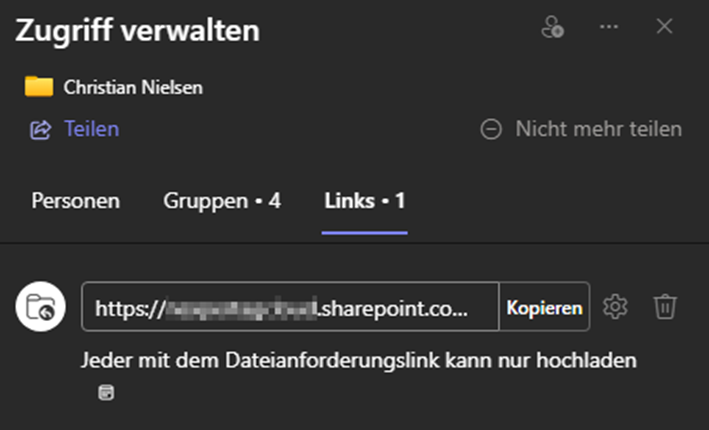
Step 5: Sending the upload link to the e-mail address
After the folder has been shared, the flow generates an upload link. This link is sent to the e-mail address entered in the form so that the user can start uploading files immediately.
Step 6: Notifying the team about the new directory
Finally, the flow informs the team that a new directory has been created in SharePoint. This ensures that all team members are informed about the new upload options and can react accordingly.
Conclusion
With this Power Automate Flow, you can significantly simplify and standardize the process of file collection and organization. You save time and minimize errors while providing an efficient and user-friendly solution for external uploads. Of course, the process can be adapted to your wishes and requirements. Try it out and experience the benefits of automation in your day-to-day work!
Other (automation) wishes?
Nexpert is good at listening and building high-performance solutions! We are also happy to offer a live insight into further possibilities & approaches to simplify everyday work through apps and automation. Truly digital!
We look forward to receiving your inquiry directly via PM, Tel: +41 44 220 11 00 or directly via e-mail.