
Introduction
Standardization and increased productivity are key to surviving in a (globalized) competitive environment. Microsoft Power Automate offers a powerful platform for optimizing workflows. We are pleased to present another practical example:
Customer requirementA customer wants to have a project-specific channel and a corresponding new plan created automatically and in a standardized manner in MS Planner as part of projects in MS Teams. Furthermore, the services offered in connection with this project are to be imported from an SQL database into the Planner - organized as „buckets“. Finally, the project manager should be informed about the successful creation of the project.
Description Process
Step 1: Calling up the Microsoft Forms form
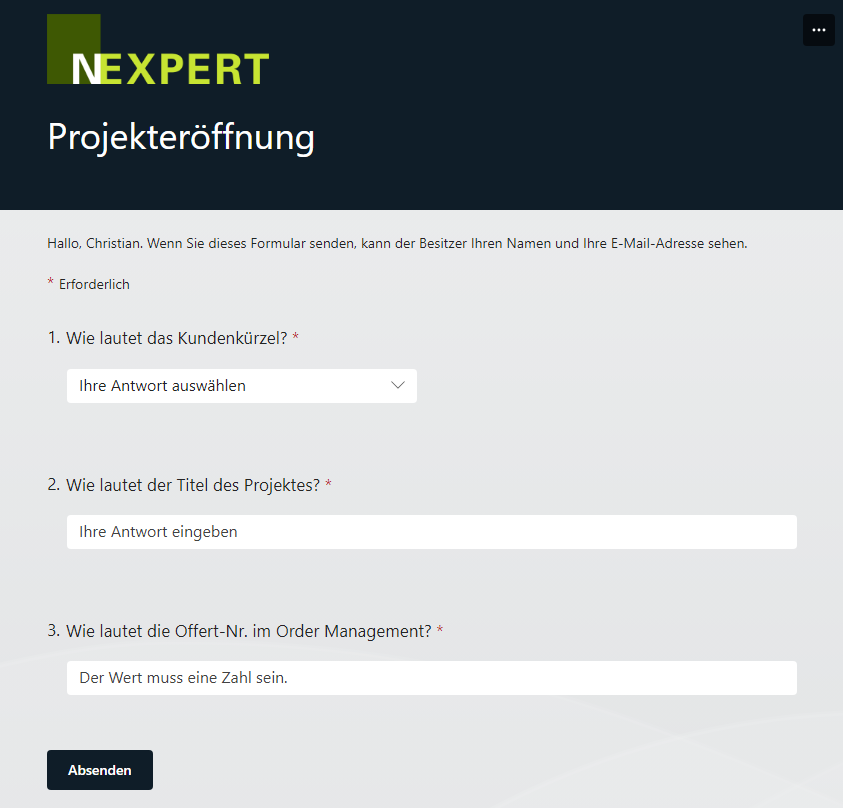
The first step begins with a Microsoft Forms form, where the project manager enters the customer abbreviation, the project name and the corresponding quotation number.
Step 2: Create a channel in Microsoft Teams
As soon as the form has been completed, the Power Automate Flow automatically creates a new channel in Microsoft Teams. The name of the channel is made up of the customer abbreviation and the project name. This enables a clear and organized structure within the team.
Step 3: Create a plan in Microsoft Planner
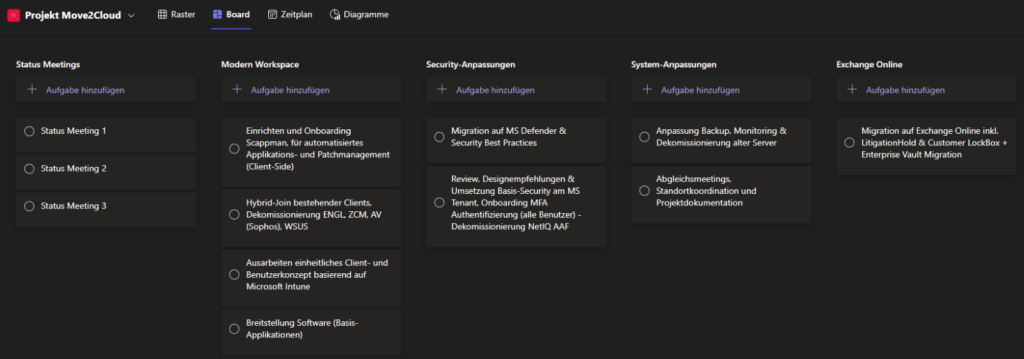
In the next step, the flow creates a new plan in Microsoft Planner. This plan contains standardized project tasks that are organized as buckets and always apply equally to all projects.
Step 4: Importing the services from the SQL database
Using the quote number, the flow goes to the SQL database and exports the services in the quote. The service groups are created as buckets and the individual service items as project tasks in Microsoft Planner. This ensures that all relevant tasks and services from the quotation are included in the plan.
Step 5: Completion notification
Finally, the flow informs the project manager that the project has been successfully opened in Teams. This notification is sent via a Teams push message so that users are immediately informed of the status.
Conclusion
With this Power Automate Flow, you can significantly simplify the project creation process. You save time and minimize errors while providing an efficient and user-friendly solution for recording projects. Of course, the process can be adapted to your wishes and requirements - the possibilities are virtually unlimited. Try it out and experience the benefits of automation in your day-to-day work!
Other (automation) wishes?
Nexpert is good at listening and building high-performance solutions! We are also happy to offer a live insight into further possibilities & approaches to simplify everyday work through apps and automation. Truly digital!
We look forward to receiving your inquiry directly via PM, Tel: +41 44 220 11 00 or directly via e-mail.